In response to years of complaints, Microsoft finally admits that Windows 11’s right-key list is too long and obfuscated, official confirmation that the user interface is being significantly modified in recent days, and that the introduction of a new function, the Split Right-key Check Menu, will lead to the launch of an application in WinUI 3 architecture, with an opportunity to expand to the entire Windows 11 system in the future.
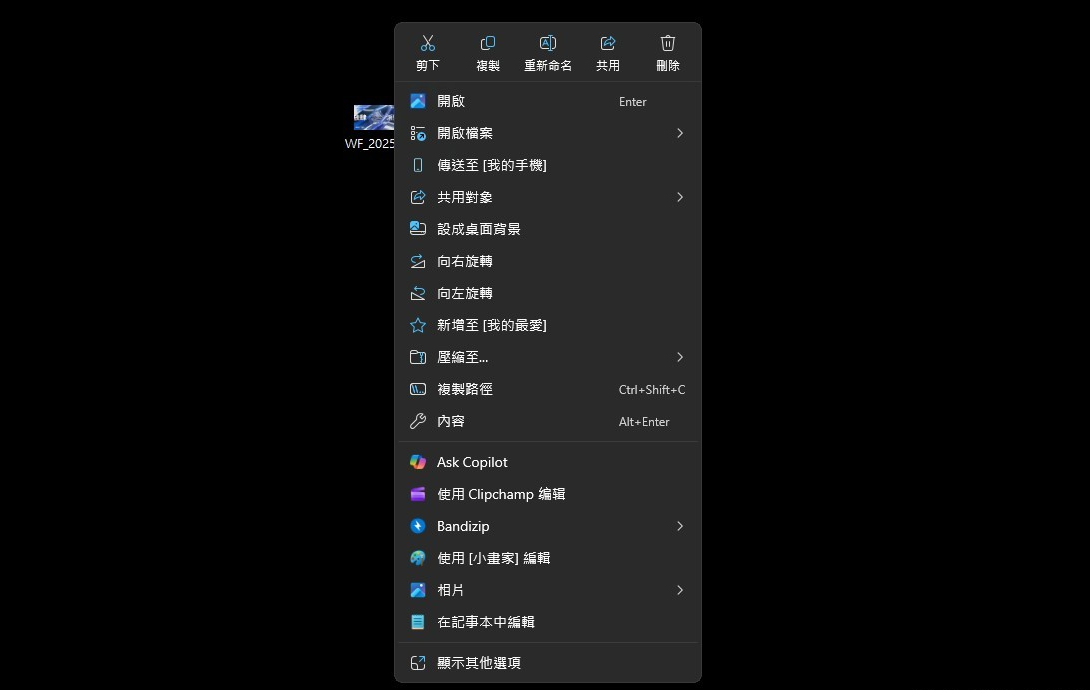
Since Windows 11 was released in 2021, many users have criticized the right-key selection list for over-repeated or irrelevant instructions, making the operational experience heavy and intuitive.
For example, when a user presses the right button on a picture, in addition to using a photo application “to open ” , multiple photo-related commands are often repeated, including even operational options for other programs to open, which should, as a rule, focus on “to open with other files”.
Not only do the aforementioned problems arise in the archives, but the application of many WinUI structures, such as Microsoft Photos, is also affected.
Microsoft officially confirmed at a recent WinUI community development meeting that a completely new UI control item will be introduced to simplify and restructure these right-key lists in response to long-term negative ratings of users.
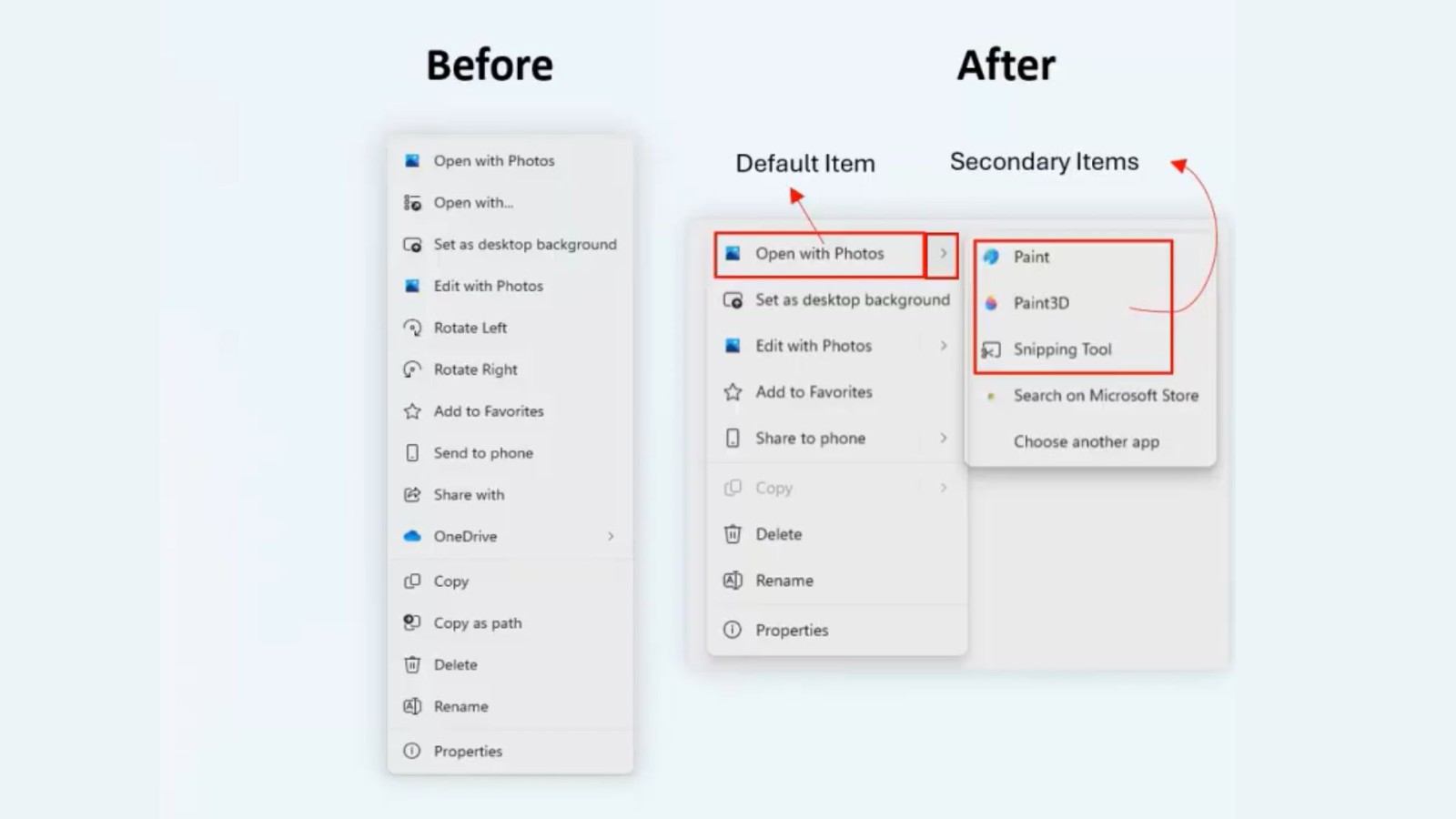
This updated design core is an API called Sprit MenuFlyoutItem, which enables single-selection items to have both primary actions and secondary lists. In other words, an option is no longer repeated, but is integrated and carried out in small side sheets.
For example, at the moment, right-clicking on a picture may see multiple items such as ” Open ” , “Edit with a small painter ” , “Set a desktop background ” ; after future updates, only one “Open with a photo” option will be shown, and after moving the mouse cursor, minor operations such as “Edit with a photo”, “Open with a drawing” and “Use a pick-up tool” will appear on the side.
Layer design not only makes right-key menus simpler, but also adjusts the display to the type of file. For example, when a right-click text slot is created, only ” with a notebook open ” will appear, while other supported editors will be hidden in the secondary menu.
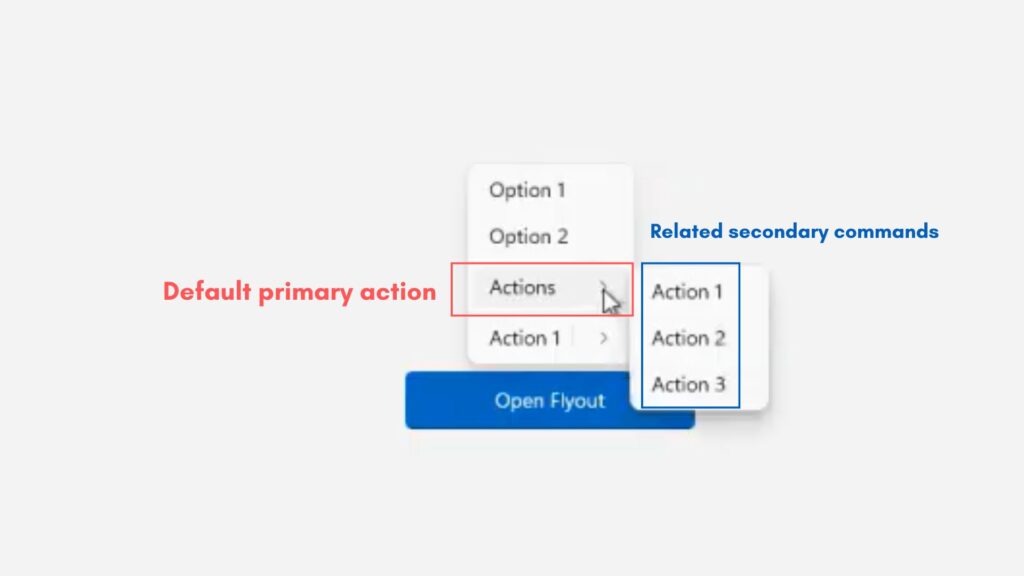
According to Microsoft, developers can set preset actions through the Split MenuFlyoutItem and receive downgrade or inactive features to secondary lists.
The system can also automatically raise the most common application to the main option, depending on the frequency of use, so that the right-key operation is closer to the actual use situation.
Microsoft internal tests indicate that a new, split right-key design reduces the length of the selection by about 30 to 38 per cent in part (depending on the type of file), making the overall interface cleaner and more efficient.
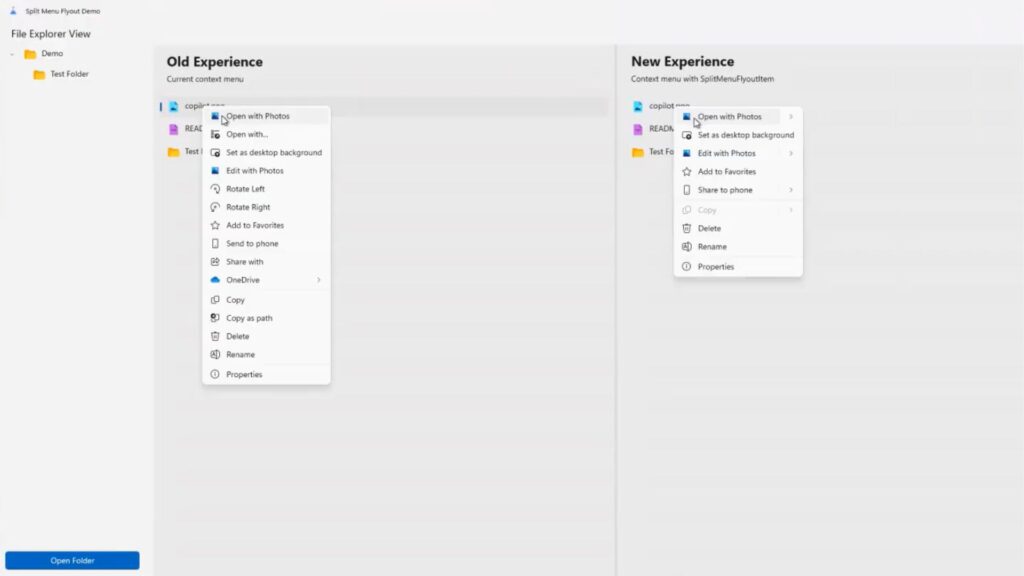
The right-click menu is still in its early stages of development and has not yet been made available to any official or internal version. Related API has been mounted to WinUI official GitHub, and developers can try to do it in advance.
Microsoft has yet to clarify whether the new Windows 11 menu design will be fully extended to Windows 11 at the system level, but it is generally assumed that there will be opportunities for integration into a unified interface.
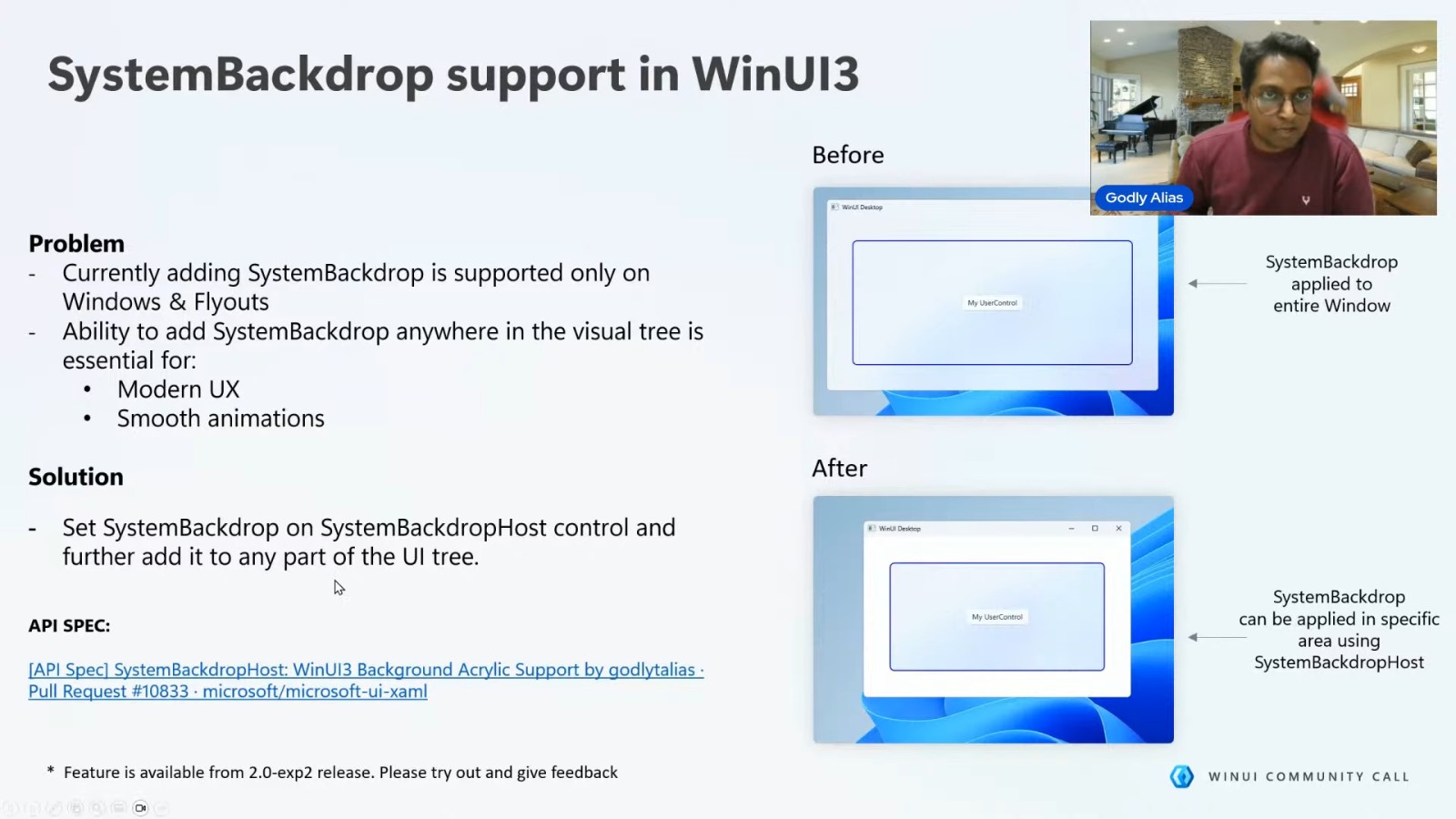
In addition to this, Microsoft is simultaneously developing the long-known Acrylic fuzzy effects, which will be applied to more built-in Apps, and it is expected that Windows 11’s overall UI will be more modern and return to a user-centred design orientation.